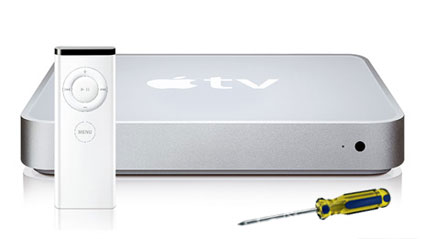
Apple TV Hack

atv-bootloaderI’ve written several post here on how to hack your Apple TV to allow FTP access and open up a wide range of useful and fun apps. Back then, the process was more complicated and involved several steps. But things have changed.

There is now a very easy way to hack your Apple TV and not only allow FTP access, but also give you the ability to watch TV from Hulu. This is quite cool.

The first thing you do is download atvusb-creator from this site: http://code.google.com/p/atvusb-creator/ The instructions on this page are simple and easy. This software will create all the necessary installation files onto a 1GB or larger USB flash drive.

Read more…


codaEvery once in a while, someone comes up with a tool that makes you wonder what you ever did before using it. For me, Coda is that tool.

If you work on websites, you should take a close look at Coda. Coda has these tools built in: text editor, file transfer, source control system, terminal (SSH), website preview, and resource library for HTML, CSS, Javascript, and PHP.

The interface is clean and doesn’t get in the way of doing work. In Edit mode, the code is color-coded for easy identification.

edit

There’s a very cool CSS editor built in that allows you to quickly add and change your style sheets with a very nicely designed visual editor.

css

When you need to preview your work, there’s no need to fire up a browser. Coda provides a built-in preview tab.

preview

If you need to SSH into your server, Coda provides that too.

ssh

And if you’ve forgotten that bit of PHP or CSS or Javascript, Coda provides a built-in reference library. You can even add more of your own.

bookshelf

Working with Coda on site development is like a dream within a dream!

There is also a good collection of third party plugins that extend Coda’s functionality. Check out their site at: http://www.panic.com/coda/


Snow LeopardApple announced OS X 10.6 named Snow Leopard as more of a performance release rather than a feature release.

Some of the announced changes include a smaller footprint (giving back some hard drive space), Microsoft Exchange support, extended 64-bit support to allow a theoretical 16TB of RAM, faster clock speeds with the multicore “Grand Central” technology, and QuickTime X which includes optimized support for the latest codecs.

It’s not known yet whether Snow Leopard is the beginning of dropped support for PowerPC by Apple. Several developers are reporting that their developer preview copy runs only on Intel machines.

The rumors are that this will be a free upgrade, but that hasn’t been announced yet.

Tagged with:  

Note: Please see a more recent post on Apple TV hacks.

ATVFiles is an application (or plugin) that lets you browse part of the ATV file system using the Apple Remote. This allows you to navigate to files that do not normally sync to the ATV. ATVFiles allows you to play any of your media (with the proper codecs installed) right from the Apple TV interface.

Note: These steps assume that you’ve already enabled SSH on your Apple TV using the procedures in this post: Hacking The Apple TV to Enable SSH.

The first step is to download the ATVFiles package. Unpack this file to the ATVFiles-1.1.0 folder. In this folder you’ll find another folder called ATVFiles.frappliance. Copy this folder (see this post for using Fugu) to the following folder on your Apple TV:

/System/Library/CoreServices/Finder.app/Contents/PlugIns

Now restart your Apple TV (hold down the ‘-’ and ‘menu’ buttons on the Apple Remote for 6 seconds).

You should now see the addition of a Files menu item on your Apple TV. This will allow you to navigate to any files placed in your /mnt/media directory.

Tagged with:  

Note: Please see a more recent post on Apple TV hacks.

Once SSH is enabled on your Apple TV, the world is your oyster.

Note: These steps assume that you’ve already enabled SSH on your Apple TV using the procedures in this post: Hacking The Apple TV to Enable SSH.

CouchSurfer is a web browser created to work on the Apple TV. To get CouchSurfer, point a browser on your Mac to Brandon Holland’s site for the download. By the way, this guy has done some great work here and I encourage you to support his efforts. For our purposes, you’ll want to download CouchSurfer 0.3(2.0) Installer (circled below).

Once it’s downloaded, unzip the file to reveal a CouchSurfer folder with 6 files inside. You will copy this folder over to your Apple TV before running the installer.

If you are comfortable with the UNIX command line, you can upload and tweak your Apple TV from a remote Mac using the Terminal application. I find it much easier to use an SFTP program to move files. My SFTP application of choice is Fugu. Fugu is intuitive, it’s fast, and it’s free.

Setting it up to move files back and forth from your Apple TV is easy. Enter your Apple TV’s IP address, enter “frontrow” as the Username, and check the box next to Force SSH1 connection to server. Then click the Connect button and enter “frontrow” as the password.

Copy the CouchSurfer folder to your Apple TV. It can be copied anywhere, but I suggest the home folder of the Frontrow user. Next, you will need to open the Terminal application on your Mac and type the following:

ssh frontrow@<your_apple_tv_address>

When prompted for a password, enter ‘frontrow’.

Now navigate to the directory where you copied the CouchSurfer folder on your Apple TV.

Note: Basic navigation in the command line is done with the ‘cd’ command. For example, to navigate to the CouchSurfer directory in the ‘frontrow’ home directory from root, you would type the following:

cd /User/frontrow/CouchSurfer

Once there, you can verify that you are in the right place by typing the following to see a listing of the files:

ls -al

You should see a listing similar to this:

Now type in the following command to install CouchSurfer:

sudo ./installcouchsurfer

Again, use the ‘frontrow’ password when prompted.

Once this finishes, reboot your Apple TV using this command:

sudo reboot

When your Apple TV menu reappears, you’ll notice the addition of CouchSurfer in the Menu items. Now you can surf the web freely just like on your computer!

Note: CouchSurfer is still a work in progress. The Settings menu has not been implemented yet. Brandon claims that this installation allows you to use a USB keyboard and mouse plugged into the USB port on the Apple TV. I have not tested this yet. Also, while CouchSurfer allows you to bookmark pages, I have not found a way to delete bookmarks from the user interface. For that, you’ll need to navigate to the /Users/frontrow/Documents/Bookmarks.plist directory and edit by hand.

Happy surfing!

Tagged with:  
Page 1 of 3123
© 2010 Mac Sage